
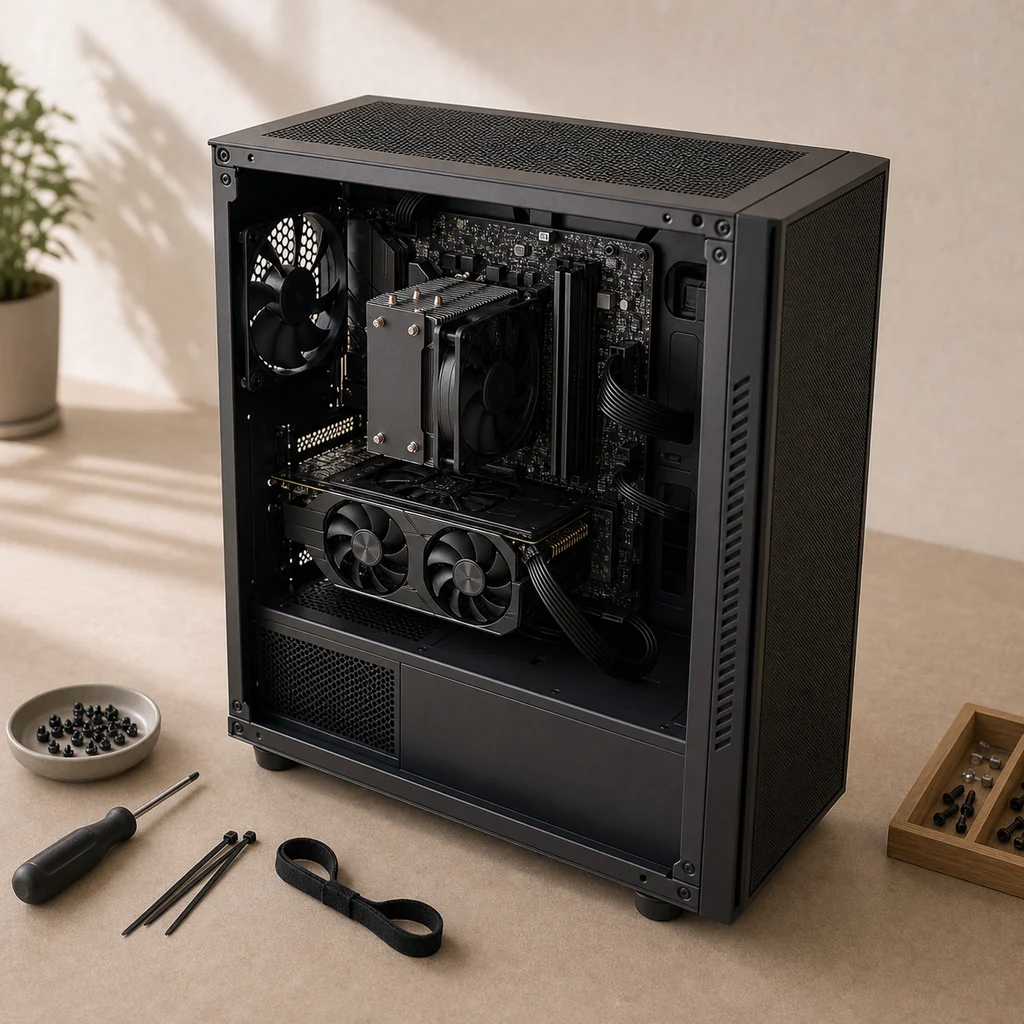
Why I Wanted to Build a New PC
My frequently used MECHREVO laptop had been in service for more than two years. It had recently started blue-screening from time to time, and its GTX 1060 Ti graphics card was also beginning to feel underpowered for the current era.
At the same time, staring at the laptop’s small screen for long periods had begun to make my eyes uncomfortable, and neither videos nor games felt as enjoyable on it. I am not nearsighted, and I have always felt, subjectively, that I am more sensitive to discomfort from small screens. Singles’ Day was a good opportunity to replace it with a larger, higher-refresh-rate display. Higher resolutions and refresh rates, however, both place greater demands on a graphics card. Once I connected the new monitor, the laptop GPU indeed struggled to maintain the gaming experience I wanted under those display conditions.
**Additional basis Display comfort** Screen size alone cannot be equated directly with whether a display “harms the eyes.” The OSHA ergonomics guide for monitors focuses more on viewing distance, whether text is easy to read, screen height and angle, glare, and uninterrupted usage time; it gives a common comfortable viewing distance of about 50–100 cm. For me, the main value of a larger external monitor is that it keeps text and images readable at an appropriate distance, without requiring me to keep staring at the laptop’s small display area.
Another factor was that, over the previous two months, I had seen large numbers of mining cards enter the secondhand market. Prices had been pushed very low, and it was relatively easy to find inexpensive used cards from individual sellers.
Together, these three reasons led me to spend a few thousand yuan on a desktop and comprehensively upgrade my everyday experience.
Selecting and Buying the Components
Choosing a hardware configuration is full of logic. I first needed to organize what I expected from the new machine.
A High-Refresh-Rate Monitor
First, determine the refresh rate.
Common refresh rates include 60 Hz, 120 Hz, 144 Hz, 180 Hz, and 240 Hz. The higher the refresh rate, the shorter the wait between image updates: 60 Hz, 120 Hz, 144 Hz, and 240 Hz correspond to refresh intervals of about 16.7 ms, 8.3 ms, 6.9 ms, and 4.2 ms. In other words, the reduction is most obvious when the refresh rate first doubles: going from 60 Hz to 120 Hz cuts about 8.3 ms, while going from 120 Hz to 240 Hz cuts only another 4.2 ms. At higher frequencies, the absolute return from the same proportional increase becomes smaller.
I had used the 120 Hz display on a Redmi K40 for a year, and returning to a 60 Hz screen made it feel unbearably choppy. I therefore wanted at least 144 Hz, and the higher the better.
**Additional basis Refresh rate** A 2019 experiment published in the Journal of Vision compared 60 Hz, 120 Hz, and 240 Hz, observing improved performance at higher refresh rates in specific FPS target-clicking and tracking tasks. It shows that high refresh rates can bring measurable benefits, but the tasks emphasized competitive gaming and some authors were affiliated with NVIDIA. The results cannot be generalized directly into fixed perceptual tiers for everyone.
Then, consider the resolution.
The rough impression I had formed at the time from discussions on Zhihu and elsewhere was that high-refresh-rate gaming at 2K resolution required at least an RTX 3080-class graphics card. I rarely play AAA titles at maximum quality and cared more about achieving a high refresh rate on a limited budget, so I ultimately targeted 1080p.
**Additional note Resolution and performance** Common resolutions include 1920×1080, 2560×1440, and 3840×2160. For the same image, a 2560×1440 frame contains about 1.78 times as many pixels to process as a 1920×1080 frame; actual frame rate is also affected by the specific game, quality settings, drivers, and rendering technologies. Therefore, “2K high-refresh gaming requires at least an RTX 3080” should be understood only as my rough component-selection impression at the time, not as a universal hardware threshold.
Finally, consider the screen size.
Screen size should be considered together with use case, resolution, viewing distance, and desk depth. I chose 24.5 inches because, on my desk, a screen of that size generally does not require me to turn my head noticeably and still allows a comfortable viewing distance.
For the other requirements, I preferred an IPS panel.
Based on the combination of 1080p + at least 144 Hz + around 24 inches + IPS, I settled on a new product available at the time:
- Lenovo Legion Y25-30, Singles’ Day price: RMB 1,299
It is a 24.5-inch, 1920×1080 IPS monitor with a native refresh rate of 240 Hz, overclockable to 280 Hz, and support for AMD FreeSync Premium. Its specifications covered my requirements exactly, so it seemed completely suitable ;)
**Product specifications Y25-30** The dimensions, resolution, panel type, refresh rate, and synchronization technology above come from Lenovo’s official PSREF specifications. The 280 Hz mode is an overclock from 240 Hz, and Lenovo also warns that overclocking may cause display abnormalities; it is not an unconditional guaranteed value.
An Economical, Muscular Graphics Card
The monitor resolution and target frame rate directly affect GPU selection. I first consulted graphics-card performance rankings and roughly limited the range to NVIDIA’s 20 series and AMD RX 6500 or above. Such rankings are useful for quickly comparing broad performance tiers, but whether a card can take advantage of a high refresh rate at 1080p still depends on the game and quality settings.
After that initial screening, I focused on the RX 6600 XT.
**Basis for the choice RX 6600 XT** AMD officially positions the RX 6600 XT as a high-frame-rate 1080p graphics card. In AMD’s examples at maximum quality and 1080p, different games range from around 110 FPS to several hundred FPS. That variation illustrates precisely why “can it fully use a high-refresh display?” must be judged for each game. Vendor testing can inform component selection, but it is not a guarantee that every machine will reproduce the results.
At the time, large numbers of secondhand mining cards were entering the market. I saw noticeably more NVIDIA mining cards on Xianyu, so I was more inclined to screen newer-production cards from AMD’s 6000 series.
**Historical context Secondhand mining cards** Ethereum completed The Merge on September 15, 2022, moving its mainnet from proof of work to proof of stake, after which GPU mining was no longer a way to produce valid blocks. The timing is consistent with the “previous two months” described in this article, but it cannot by itself establish the relative supply in the secondhand market. The RX 6600 XT launched in August 2021, and a particular card’s production date limits only its physical age; it does not prove whether the card was used for mining or for how long.
I then found an XFX RX 6600 XT Overseas Edition V2 mining card listed at RMB 1,150 on Xianyu. It was not the very lowest price, but the listing was detailed: the card had been produced in early 2022 and came with the seller’s own test and benchmark records. The production date could not establish its actual usage history, but based on the description, test information, and communication with the seller, I thought it was worth trying and ultimately bought it for RMB 1,120.
By the time this article was completed, I had had the graphics card for two weeks. During that time, the seller remained very enthusiastic about discussing how to use the card and how it was performing. Overall, the purchase was successful.
I mounted the graphics card horizontally. To reduce the long-term risk of sagging under its own weight, I supported it with two GPU braces costing RMB 37.8 in total.
A CPU Suited to the Graphics Card
At this point, Intel’s 13th-generation desktop processors had just launched, with the initial lineup consisting mainly of unlocked K-series models. The problem was not that “too few motherboards supported them”; more precisely, I could not find a combination in the launch platform that suited my budget at the time.
After looking through contemporary performance rankings and build configurations, my rough impression was that an AMD setup offered better value at the same price. Since I had already chosen an AMD graphics card, I decided to choose an AMD CPU as well. This was only a simplified judgment based on my budget at the time, not a rigorous platform-wide performance conclusion about AMD versus Intel.
Choice: AMD Ryzen 5 5600
Motherboard
There were already many contemporary build configurations using the R5 5600 and RX 6600 XT together. Among B550 motherboards, I mainly compared two common models:
- ASUS TUF GAMING B550M-PLUS
- MSI MAG B550M MORTAR
Considering room for later modifications and my storage requirements, I ultimately chose the ASUS TUF GAMING B550M-PLUS.
- R5 5600 tray CPU + ASUS TUF GAMING B550M-PLUS, Singles’ Day price: RMB 1,144
**Revision note Motherboard model** During the 2026 revision, I checked the physical motherboard information and confirmed that the actual purchase was an ASUS TUF GAMING B550M-PLUS. The original text called it an “MSI B550M-PLUS Mortar,” which was a typo. This revision corrects only the public model name and does not disclose the device serial number.
**Compatibility basis CPU and motherboard** Intel’s official 13th-generation launch material shows that the September 2022 initial release consisted of six unlocked desktop processors. AMD’s R5 5600 specifications explicitly list support for the B550 chipset, a default TDP of 65 W, and PCIe 4.0. ASUS’s official specifications confirm that the TUF GAMING B550M-PLUS supports Ryzen 5000-series processors, dual-channel DDR4, and two M.2 slots. These points document release timing and compatibility, not any cross-brand performance ranking.
The boxed R5 5600 includes a Wraith Stealth cooler, but I was already planning to buy a different cooler. The price saved by this tray-CPU bundle was more valuable to me, so I did not choose the boxed version; that does not mean the boxed version is poor value for everyone.
Memory
The R5 5600 has two memory channels and officially supports up to DDR4-3200; this ASUS motherboard also uses a dual-channel memory architecture. I selected two modules from the same kit to enable dual-channel operation and reduce the compatibility risks of mixing different models. Dual-channel operation increases available memory bandwidth, but it does not mean that every application’s performance will double, and using the same model cannot guarantee absolute stability.
For capacity, I chose 8 GB×2 for better value. Anyone who frequently runs more memory-intensive applications would have more headroom with 16 GB×2.
Final choice:
- Crucial 8 GB×2 DDR4-3200 kit, Singles’ Day price: RMB 338
Storage
My storage requirements are modest. A 1 TB solid-state drive is enough for the operating system, commonly used applications, and games. Samsung products of the same capacity were more expensive in my comparison at the time, so I ultimately chose a Western Digital Blue drive:
- Western Digital Blue 1 TB M.2 SSD, Singles’ Day price: RMB 579
Case
After a long search for a case for the B550M motherboard, following the trail from the Jonsbo D30 led me to the newly released Jonsbo D31. Its industrial, functional look was extremely appealing.
- Jonsbo D31 without the display panel, Singles’ Day price: RMB 249
After a week of actual use, however, I suspected that the graphics-card fans were too close to the bottom panel and that their intake space was somewhat restricted. With the bottom of the case directly against the desk, a stress test produced a GPU core temperature of about 64°C, while the junction temperature was about 20°C higher—approximately 84°C. One measurement is not enough to characterize every D31 build, but it at least showed that my placement and airflow still had room for adjustment.
Power Supply
AMD recommends a minimum system power supply of 500 W for the RX 6600 XT; the card itself has a typical board power of 160 W. My 550 W power supply exceeds that recommendation.
For the brand, I mainly compared Super Flower and Seasonic at the time. I ultimately chose:
- Super Flower Bronze King 550 W, Singles’ Day price: RMB 299
**Specification basis Graphics card and power supply** The 160 W typical board power and 500 W minimum power-supply recommendation both come from the official AMD RX 6600 XT specifications. This is a minimum recommendation for total system power-supply capacity; it does not mean that rated wattage alone is sufficient. The power-delivery quality, connectors, and aging of a specific model still require separate consideration.
Cooling and Fans
Because I bought a tray CPU, I added a separate cooler:
- Thermalright AS120R SE, Singles’ Day price: RMB 79.9
Case fans should be selected according to the available mounting positions, airflow, and actual temperatures. I installed three:
- Jonsbo 12020 fans ×3, Singles’ Day price: RMB 59.7
Two are mounted at the top and one at the rear.
Price
**Revision note Total price** When recalculating the totals in 2026, I found that the original “desktop total” formula had accidentally included the monitor price while still reporting RMB 3,906.4. The desktop and monitor are now calculated separately below.
Desktop total:
1120 + 1144 + 338 + 579 + 249 + 299 + 79.9 + 59.7 + 37.8 = RMB 3,906.4
Including the monitor:
3906.4 + 1299 = RMB 5,205.4
Assembly Process
Assembly order:
Case → power supply → motherboard (CPU + cooler + memory + storage) → cable routing → fans → graphics card → external cables
The internal cable-routing space in the Jonsbo D31 is very tight, making it difficult to fit the large bundle of cables from the Super Flower Bronze King power supply.
For the operating system, I chose Windows 10. At the time, I believed its game compatibility was more reliable, so I did not switch to Windows 11. That was my reason for the choice then, not a universal conclusion about every game and hardware configuration. The CPU, graphics card, and motherboard in this build all explicitly support Windows 10.
**Installation basis M.2 system drive** An M.2 system drive does not always require BIOS compatibility mode. Microsoft’s Windows installation documentation recommends booting installation media in UEFI mode and using a GPT system drive on modern computers. If the installer or boot menu cannot find the system, first check whether the UEFI / Legacy boot mode matches the GPT / MBR partition style; Legacy / CSM is a compatibility path for older devices and partitioning methods.
The biggest lesson from this build was still case space. Next time I will buy a larger case so that both cooling and cable routing are easier to manage.