
This article records some of my research into and experiments with cloud servers during the summer of 2022.
Domain Names
Domain names provide:
- A: a mapping from a semantic name (such as yiyuiii.top) to an IPv4 address
- CNAME: a mapping from a semantic name (such as mc.yiyuiii.top) to another domain name
- SRV: a service mapping from a semantic name (such as mc.yiyuiii.top) to another domain name and port
- and some other mappings
The benefit is a unified way of addressing things, which can:
- avoid the need to remember IP addresses
- allow apps to adapt to server migrations
At the time, the lowest price was CNY 15 per year (for a .top domain), which was excellent value. I expected prices to rise rapidly in the future and recommended buying one early.
Domain Registrars
Overseas domain registrars offered better value. There were two major providers, GoDaddy and Namesilo, with similar prices:
- GoDaddy had a cheaper introductory offer for the first month, but renewals were expensive
- Namesilo kept its pricing consistent, provided free DNS, and supported Alipay; its control panel was somewhat unfriendly
DNS Hosting Providers
Namesilo provided free DNS hosting. Records took less than 15 minutes to upload and cache updates took less than 48 hours; in my test, the update completed in 30 minutes.
- If the DNS rules did not need frequent changes, the built-in service was already sufficient
DNSPod, commonly used in China, was no longer free after being acquired by Tencent.
Cloudflare, an overseas provider, offered free, high-quality DNS hosting and a full set of user-friendly configuration options. It also included free SSL certificates (worth claiming a place early).
Cloud Servers
There were many cloud-server providers. Well-known providers in China included Tencent Cloud, Alibaba Cloud, Baidu Cloud, and others, but cloud servers were generally expensive in 2022.
DogYun
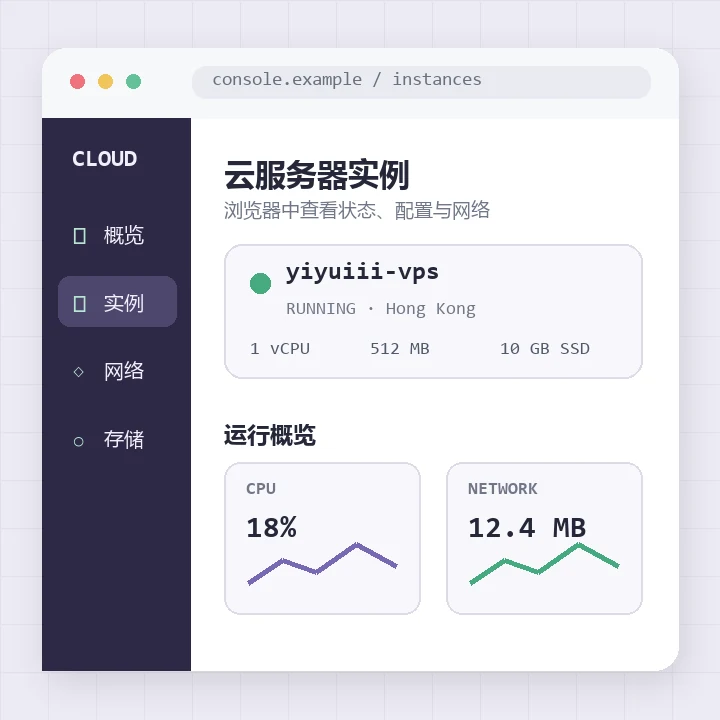
DogYun focused on cloud VPS products in Hong Kong. Its minimum configuration was 1 vCPU, 0.5 GiB of memory, a 10 GiB SSD, and 50M bandwidth for CNY 200 per year, making it the best-value cloud VPS I found in August 2022.
Transfer speeds matched the advertised bandwidth and the server could be used to access the wider internet, but the network fluctuated considerably. At the time, mainland China also could not connect to Hong Kong over ipv6.
When I ran Minecraft’s frps on this cloud VPS, an frpc client in Nanjing disconnected and reconnected every 10–30 minutes on average, with relatively high latency. My assessment was that Hong Kong was unsuitable for low-latency Frp requirements.
Regions outside mainland China were suitable for hosting a V2Ray server.
Cloud Services
V2Ray
Setting Up a V2Ray Server
This script made it convenient to set up a server; I recommended the VLess protocol: https://raw.githubusercontent.com/hijkpw/scripts/master/v2ray.sh
- It could host a website to disguise and protect the traffic. This required a domain name and occupied HTTPS port 443. The same feature could also forward my own github.io blog, achieving two goals at once (
- You could optionally use your own SSL certificate. The certificate was bound to a domain name and generally had to be purchased, although Cloudflare provided free SSL certificates at the time. Note that WS could pass through Cloudflare’s CDN service, while TCP could not.
A relatively good introduction: https://ssrvps.org/archives/10138
V2Ray Client
Note: some official versions had bugs; try rolling back to an earlier version.
FRP
SakuraFrp
The free routes from SakuraFrp were heavily loaded, with actual bandwidth of about 1M. Bandwidth improved noticeably after purchasing a VIP route.
The website provided a detailed frpc configuration tutorial.
QQ Bots
Overview
Existing chatbots mainly consisted of three parts:
- The main framework in which the bot ran, including Mirai, ZeroBot, NoneBot2, and others;
- A general chatbot connection specification and interface definition represented by OneBot. Implementations were generally interfaces between a specific chat tool and the general protocol, developed around the characteristics of chat tools such as QQ; examples included go-cqhttp and teyda_preview. See https://onebot.dev/ecosystem.html#onebot-11-10-cqhttp
- The connection from the general protocol interface to the bot runtime framework. Implementations were generally plugins, including nonebot_plugin_gocqhttp and MiraiCQ.
Using NoneBot2 as an example, its implementation layers could be divided into go-cqhttp -> nonebot_plugin_gocqhttp -> NoneBot2.
NoneBot2
My NoneBot2 implementation layers were go-cqhttp -> nonebot_plugin_gocqhttp -> NoneBot2.
go-cqhttp was the most popular QQ–OneBot implementation at the time. NoneBot2 plugins were programmed in Python; compared with traditional Go programming, this greatly lowered the barrier to secondary development.
After installing NoneBot2, I recommended installing the nonebot_plugin_gocqhttp plugin and go-cqhttp.
Official installation guide: https://v2.nonebot.dev/docs/start/installation
I recommended using nb-cli to configure the bot automatically, which greatly improved deployment efficiency.
Because packages installed by nb-cli went into Python’s site-packages by default, I strongly recommended using conda or venv to create an independent Python environment for NoneBot, making Python packages easier to manage.
After deployment, you might need a more detailed development guide: https://github.com/Well2333/NoneBot2_NoobGuide
Jekyll Static Websites
A so-called static website is one where the server does not automatically generate new pages for users; users can generally request only existing pages.
The benefit is that the server only needs to store static page files, requires no computing power, and is easy to integrate, deploy, and manage.
Installation Process
- Install Ruby: https://www.runoob.com/ruby/ruby-installation-unix.html
On Ubuntu: sudo apt-get install ruby-full
Check whether the installation succeeded with the commands ruby -v and gem -v.
- Install Jekyll’s build prerequisites
sudo apt-get install build-essential zlib1g-dev
- Install Jekyll: https://jekyllrb.com/docs/
gem install bundler jekyll
Page Layout
Refer to my layout: https://yiyuiii.github.io/posts/build-a-personal-github-page/